So, I'm looking at my office and it's been revised again. I've taken out a couple of desks used as testing areas. Unfortunately, they are not being used properly in their new location. I'm facing the possibility of needing to build a lab for testing products. I'm also entertaining the idea of changing up how I use my computers.
Right now, I use my Mac Pro for editing video and editing Gadgetell.com. Since that is the case, my editing station is a mess. Are more desks the answer? More dedicated spaces to tasks? That's how a house works, right? Many rooms have specific functions and maybe that should be the case for my office/lab/guest room/Skype studio. Maybe a large + shaped room divider in the middle of the room to subdivide the spaces? I'm just thinking by typing.Category Archives: Uncategorized
Untitled
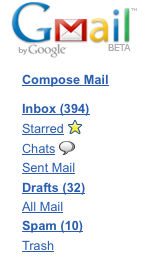
Working through my Inbox. About 300 down. 394 to go.
Remote Controls
Almost every electronic device has a remote control. The more components you add, the more remotes you accumulate. The components determine the type of furniture you get and how you arrange your other furniture. Since infrared is still the standard for remote controls, line of sight is still very important.
ᅠI have found two solutions for line of sight problems. All remotes are not created equal. Your remote may require you to contort your arm to get your remote and component to work together. Logitech Harmony remotes are different. I’ve owned two different Harmony remotes (the 880 and the XBox 360 version). Harmony made revolutionary universal remote controls that used USB to program the remote; Harmony was subsequently acquired by Logitech. Instead of sitting with a list of thousands of codes, all you have to do is input the make and model of your TV or other component with the software and then sync over USB. They even cover oddball brands.
ᅠ
The Harmony line seems to have a much more powerful IR transmitter than any other remote I own. There is no contorting to gain line of sight. Just aim at the TV and components underneath that are somewhat blocked by the coffee table will still respond. Beyond the convenience of having a universal remote, the IR transmitter makes you forget about using your other weak remotes.
ᅠThe other solution was found at HV20.com, a forum for Canon HV20/HV30 users. Digital audio cables a.k.a. TOSLINK cables a.k.a. optical cable can be used to route IR signals. I saw a forum post where someone used a digital optical cable to route an IR signal from behind the Canon HV20 to the front of the camera where the IR sensor is located. A friend and I tested this with his home theater components. Since he was going to build a new home entertainment center, designing the center hinged on line of sight. The digital optical cable tests were a success. The design no longer depended on line of sight for every component. To see how a TOSLINK cable works check out Wikipedia.
ᅠOf course, neither solution plays well with other standards for remotes like Sony’s use of bluetooth in the PS3 or other components with RF. There are also options to convert your IR remote into a RF remote and this may be cheaper than getting a Harmony remote, but definitely this is not as cheap as setting up a TOSLINK cable. Keep this information in mind the next time your arm is up in the air with your wrist pointed awkwardly trying to get that remote to communicate with a device.
CBS to acquire CNET
 “CBS Corp. will acquire CNet Networks Inc., a pioneering online provider of technology news and product reviews, for $1.8 billion cash, as the TV broadcasting giant took another step to use the Internet to rev up its growth.” Source: Marketwatch.
This is an interesting acquisition. CNet has been a trusted name in product reviews and a trusted source of news for many years. Additionally, CNet also has very valuable URLs of “News.com” and “Download.com.” CBS could easily use these easy URLs to promote its news divisions and television programming. There will probably be all kinds of cross-promotion between CNet and CBS.
Perhaps CBS can lend its television production expertise to CNetTV. CBS adds a bunch of credible tech experts to its various networks. In a perfect world, this could lead to the creation of a CBS branded CNet cable television channel.
More on this deal and what it means for both companies to come.
Drupal
 I have been working with Drupal for a couple of months now. For those of you who don’t know, Drupal is a content management system (CMS). What makes this different than something like WordPress? Well, WordPress was built as a blogging engine. With the use of plug-ins and alterations WordPress can also be used as a CMS. However, Drupal was built as a CMS from the ground up.
What does Drupal do?
The name “content management system” gives you an idea of what it does. Blogs are like a long roll of posts. These posts can be categorized using tags and such. Drupal lets you categorize using your own taxonomy. This allows for easier sorting of articles. In the abstract, this does not make a lot of sense.
Here is an example. An online newspaper would have numerous sections like sports, entertainment, etc. Let’s say you have a star athlete that is going to be appearing in a movie. The writer would write the article and could categorize the article as both sports and entertainment. When a reader goes into the entertainment section, the reader will see the article. When the reader goes to the sports section the article will appear there as well. One post can appear in numerous sections.
Drupal is also used by the good people at TWiT.tv. Drupal is used to create sites for shows and organizes all of the content on TWiT. Drupal can also be used to blog if you want.
How I Use Drupal
I use Drupal to run FiniteComedy.com. FiniteComedy.com produces audio and video podcasts. I wanted something that let me post a show on the front page and that same post would appear under the show page. I also wanted the ability to group all video episodes together or audio episodes together. Drupal allows me to put together various pages like one for each show, a random video page, a random audio page, an all videos page and much more.
Again, you do similar things with WordPress, but there’s a saying about turning a refrigerator into a boat – I can’t remember it. The point of the saying is that it’s better to use a tool designed for what you are doing than trying to adapt something to your purpose.
Drupal has plugins called “modules.” If you want to do anything like what I’m doing, you’re going to need a module called “Views.” Just make sure that your module is compatible with the version of Drupal you have. If you use something like Fantastico to install Drupal, an upgrade will wipe out your modules. I learned this the hard way. Additionally, later versions of Drupal do not work well with modules or themes designed for older versions.
Community
Drupal has an excellent support structure with tons of information and tutorials out there. Unfortunately, some of these tutorials are geared towards those who have a familiarity with Drupal. Simply messing around in Drupal will not yield great results unless you are just trying to put together a blog. Using Drupal as a blog tool is very much overkill. Many of the tutorials are incredibly useful and will help you get on your way to using Drupal.
Themes
The vast majority of free Drupal themes are incredibly utilitarian and lack the flair of the multitude of WordPress themes out there. If you are handy with CSS, you can put together a nice new theme. I would recommend taking an existing theme and messing with the CSS until it better fits your site. FiniteComedy.com needs an overhaul and we’re just using a free theme called “Wabi.”
Alternatives to Drupal
Other CMS’s available are Joomla and Mambo. I know very little about these alternatives other than they are free. Joomla is based on Mambo. As I’ve mentioned before, WordPress can be used as a CMS with some work. You can see an article about that here.